
Your Downloads folder,
cleared for you.
A quiet menu bar app for macOS. When a download finishes, Countertop moves it into a folder that matches what it is. That's the whole app.
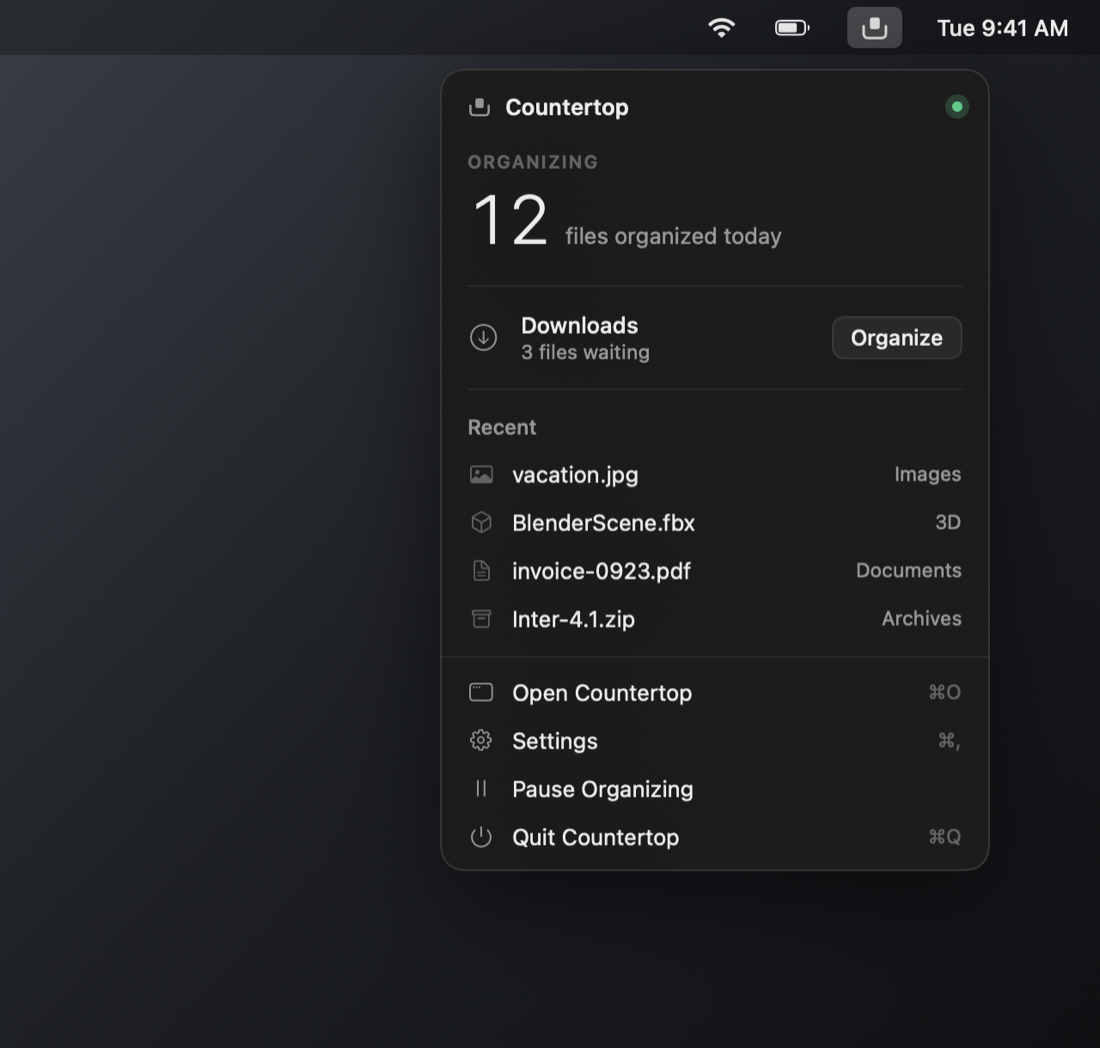
Download it. It's already put away.
Your Downloads folder fills up like a kitchen counter. Countertop wipes it down for you.
Download something
Chrome, Safari, Firefox, anything. Countertop waits until the download is actually finished before it touches the file.
It gets sorted
Images to Images, installers to Applications, .fbx to 3D. A moment later it's in ~/Desktop/Countertop.
Put it back, if you want
Every move shows up in Activity with Show in Finder and Put Back. Nothing is ever overwritten.
Built to be forgotten about.
It lives in the menu bar and does one thing well.
Waits for downloads to finish
Partial files (.crdownload, .download, .part) are left alone until they're complete.
Never overwrites
photo.jpg becomes photo 2.jpg. If a file can't be moved, it stays put and Countertop tells you why.
Your rules
.blend to Blender Assets, .rbxl to Roblox, anything named "Screenshot" to Screenshots. Make your own categories.
Undo, always
Activity lists every move. One click puts a file back where it came from.
Quiet
Groups notifications when several downloads land together. Pause it any time from the menu bar.
Private
No account, no analytics, no cloud. Runs in the macOS sandbox with no network access.
Most days you'll only open the menu bar.
But there's a full window when you want it: Overview, Files, Activity, Rules, Folders and Settings.
Ten categories. Every list editable.
Your own rules always win. Each category can be turned off so those files stay in Downloads.
Nothing leaves your Mac.
Countertop collects no data. There is no account, no analytics, no crash reporting, and no server.
- Your files are moved between folders on your Mac. Never uploaded.
- Settings, rules and activity history live in the app's sandbox container.
- The app has no network access. The only request is a once-a-day update check to GitHub by Sparkle's sandboxed downloader, and you can turn it off.
- It never asks for Full Disk Access, Accessibility, or screen recording.
Drag it in. Three clicks of setup.
Download the .dmg, drag Countertop into Applications, open it. Choose where files go, allow access, done.
"Apple could not verify Countertop is free of malware" — what to do
Countertop isn't notarized by Apple (that needs a paid developer membership), so macOS shows this once. It's open source, and every release ships a .sha256 you can check.
- Click Done.
- Open System Settings › Privacy & Security and scroll to "Countertop was blocked to protect your Mac."
- Click Open Anyway, confirm with your password, then Open Anyway again.
Or from the Terminal:
xattr -dr com.apple.quarantine /Applications/Countertop.app